Every missed call can represent a customer who needs help now. For local service businesses, incoming calls may arrive while the team is driving, meeting clients, or working on a job. An AI receptionist may help handle certain routine interactions, but it is not a universal replacement for a trained employee.
The useful question is not whether AI can answer a phone. It is which calls the system can handle reliably, when it should transfer to a person, and how the business will measure whether the experience is actually helping customers.
This guide covers practical use cases, limitations, safeguards, and the questions to ask before introducing an AI receptionist.
What Is an AI Receptionist?
An AI receptionist is a software-based system that can participate in phone conversations, respond using approved business information, and collect or route caller requests. Depending on the provider and configuration, it may connect to telephony, scheduling, customer relationship management, or messaging tools.
Capabilities differ significantly. A demonstration of a natural-sounding conversation does not establish that a system can accurately schedule appointments, understand every accent, or integrate with your existing tools.
Treat the receptionist as a defined workflow with boundaries—not as a general-purpose employee who can handle any situation.
1. Potential Benefit: Capture Routine Call Details
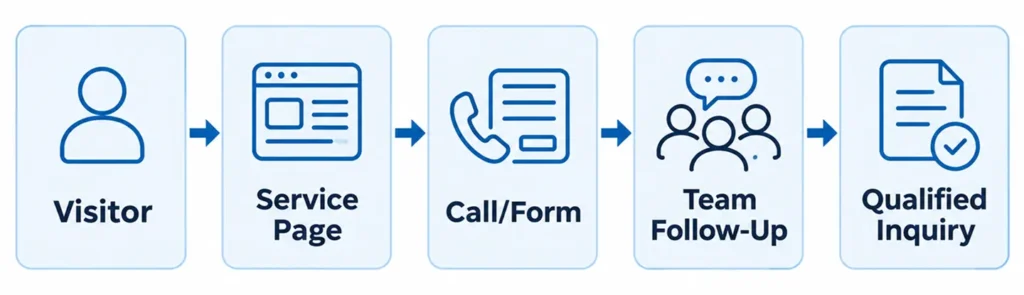
Many service businesses receive similar questions: What areas do you serve? What services do you offer? How can I request an estimate? A carefully configured AI receptionist may answer approved questions and collect a caller’s name, contact details, service request, and preferred follow-up time.
That information can help staff return calls with better context. The system should confirm critical details and avoid inventing answers when the business has not supplied them.
Start with a short list of high-frequency, low-risk call types rather than trying to automate every possible conversation.
2. Potential Benefit: Help Outside Normal Business Hours
Customers do not always call during office hours. An AI receptionist can potentially acknowledge a request, explain the business’s operating hours, and collect information for a later response.
However, a system should not promise immediate service, emergency dispatch, or a confirmed appointment unless the business has the operational capacity and a verified integration to fulfill that promise.
Make the difference between collecting a request and confirming a booking clear to callers.

3. Potential Benefit: More Consistent Intake Questions
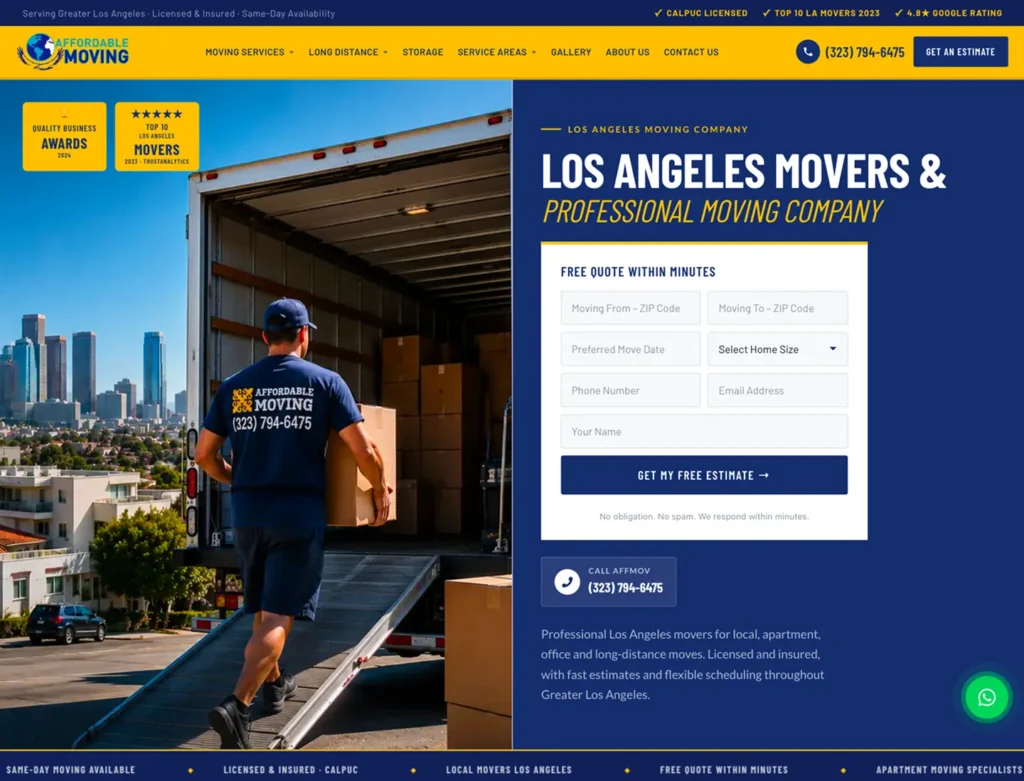
A repeatable intake process can help a team collect the information it needs. For example, a moving company may ask about the origin and destination, the preferred date, and the type of move. A cleaning business may need the service type and general property details.
Consistency is useful only when questions are relevant and understandable. The system should avoid collecting unnecessary sensitive information and provide an option to speak with a person.
Intake scripts should be reviewed by the business and tested with realistic scenarios before wider use.
4. Important Limitation: AI Can Misunderstand Callers
Background noise, poor connections, unusual names, interruptions, and complex requests can lead to incorrect transcriptions or responses. A system may sound confident even when it misunderstood the question.
Do not rely on an AI receptionist to make unsupervised decisions involving emergencies, legal or medical advice, payment disputes, or other sensitive situations. Such calls need carefully designed routing and appropriate human involvement.
Test the system with interruptions, unclear answers, changes of topic, and callers who ask to speak to a person. Evaluate whether it recognizes uncertainty and escalates appropriately.
5. Important Limitation: Integrations Must Be Verified
An AI receptionist may claim to support scheduling, CRM updates, or text-message follow-ups, but each integration needs technical review. A calendar connection that works in a demonstration may still fail when staff availability changes or an API becomes unavailable.
Confirm which systems are supported, what permissions are required, and how errors are handled. Test whether a submitted lead actually reaches the right inbox or CRM record.
Do not describe a requested appointment as confirmed unless the scheduling system has successfully completed the booking.
6. Human Handoff Is Essential
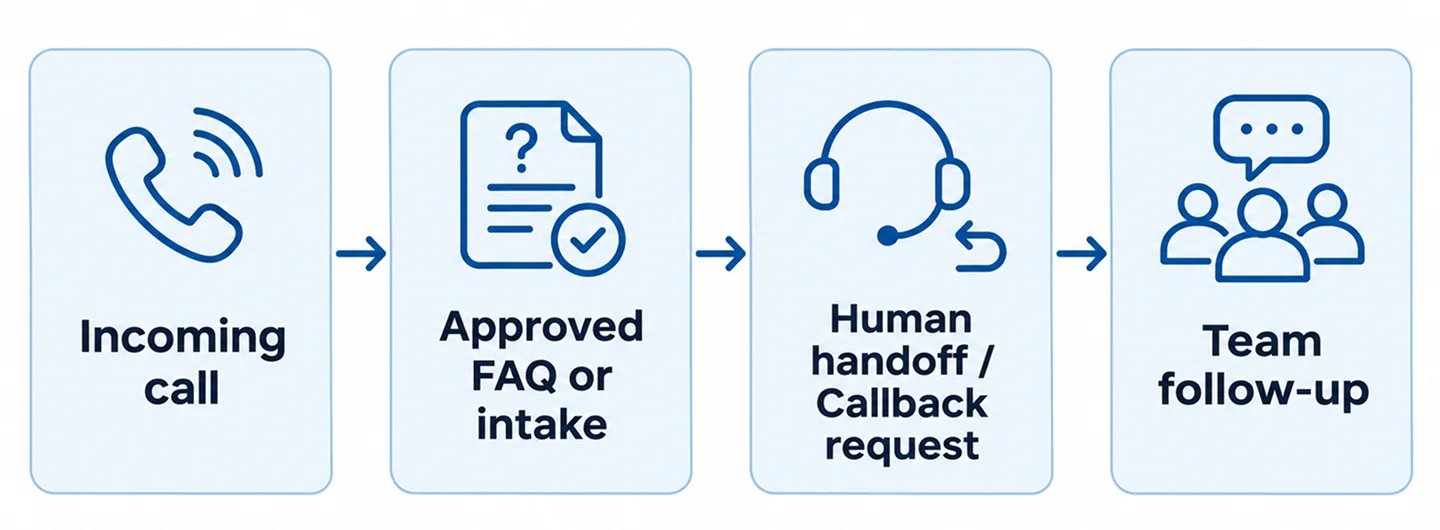
A good call flow needs a clear path to a person. Callers may have a complaint, an urgent request, an unusual question, or simply prefer human assistance.
Define when the AI should transfer a call, create a callback request, or end the interaction. If live transfer is unavailable, the system should explain the alternative without pretending a person is on the line.
Make sure staff can see the relevant call summary and know who is responsible for follow-up. A collected lead has limited value if no one acts on it.
7. Privacy, Disclosure, and Call Recording
Voice interactions can involve personal information, including names, phone numbers, addresses, and descriptions of customer needs. Before deployment, decide what data is collected, where it is stored, who can access it, and how long it is retained.
Call recording, consent, automated communication, and AI disclosure requirements vary by jurisdiction and use case. Businesses should obtain appropriate legal guidance and configure their system to meet applicable rules.
Never assume that a tool’s default settings automatically satisfy every state or industry requirement. Provide clear caller information and avoid collecting more data than the workflow requires.
8. How to Measure Whether It Helps
Track outcomes that matter to the business: valid inquiries captured, calls successfully transferred, callback requests completed, incorrect answers, abandoned calls, and customer complaints.
Compare these with actual staff follow-up records. A high number of AI-handled calls does not prove that the system created more customers.
Review a sample of interactions where permitted, document recurring errors, and update approved answers or escalation rules. Human quality checks remain important after launch.
9. How to Run a Small Pilot
Begin with a narrow use case, such as after-hours intake for routine service inquiries. Write an approved knowledge base covering service areas, hours, supported services, and callback expectations.
Create a test plan for common calls, unclear requests, requests for a human, and situations outside the system’s scope. Verify call routing, data delivery, consent behavior, and error handling.
Launch to a limited call flow when appropriate, review results, and expand only after the system behaves reliably. Keep a manual fallback available.

Questions to Ask an AI Receptionist Provider
Ask which phone systems and business tools can be integrated, what happens during an outage, how human transfer works, and whether the system can avoid making unsupported commitments.
Request details about data retention, security controls, call recordings, consent options, testing, and ongoing maintenance. Clarify how the provider handles changes to business hours, services, and escalation rules.
Most importantly, ask for a pilot with your own realistic call scenarios rather than relying only on a polished sales demonstration.
Frequently Asked Questions
Can an AI receptionist replace a human receptionist?
It may handle selected routine tasks, but it cannot be assumed to manage every conversation safely or accurately. Human oversight and escalation remain important.
Can it book appointments automatically?
Some systems can connect to scheduling tools, but availability and booking confirmation depend on the actual integration. Every workflow should be tested before promises are made to callers.
Will an AI receptionist answer every call correctly?
No. Speech recognition and AI responses can fail or misunderstand requests. Monitoring, approved knowledge, and fallback options are essential.
Is an AI receptionist suitable for a small local business?
It may be useful when the business receives repeatable inquiries and can follow up on captured requests. Suitability depends on call volume, customer expectations, privacy requirements, and operational readiness.
Start With the Customer Experience
An AI receptionist is most useful when it solves a specific problem: collecting routine inquiries, supporting after-hours intake, or routing callers more consistently. The technology should fit the business’s actual workflow and clearly acknowledge its limitations.
Nabali Development helps businesses explore AI automation opportunities and evaluate practical integrations. If you are considering AI-assisted call handling, start with a review of your current intake process and the situations that require a human response.
Contact Us