
Clicks without customer inquiries are frustrating, especially when a local service business depends on calls and estimate requests. But a click is not a lead. It only means someone interacted with your ad; what happens before and after that interaction determines whether the campaign creates a real opportunity.
The cause may be an irrelevant search query, the wrong geographic setting, a confusing landing page, a broken form, or missed phone calls. Sometimes leads are arriving but the tracking is incomplete. Before making major changes to bids or budgets, follow the customer journey from search to contact.
Use the checks below to identify where the process breaks down. Each one includes a practical action you can take without assuming that more ad spend is the solution.
1. Your Ads Are Matching the Wrong Searches
A campaign can attract clicks from people who are researching, looking for jobs, comparing do-it-yourself instructions, or seeking a service you do not offer. Those visitors may be genuine searchers but poor prospects for your business.
Review the search terms report where available. Look for patterns such as employment queries, equipment rentals, free resources, or unrelated services. Add appropriate negative keywords and refine keyword targeting. Do not block broad categories indiscriminately: a term that looks irrelevant in one business may be valuable in another.
Compare the wording of each ad with the services on its landing page. The closer the match to a genuine customer need, the easier it is for visitors to understand the offer.
2. Your Location Targeting Is Too Broad
A local contractor may receive clicks from people outside the area where the team can actually work. Check campaign location settings, the geographic areas included, and location reports when available.
For many local service businesses, targeting people physically in or regularly in the service area may be more appropriate than including people who only show interest in that location. Choose the setting that fits the business and review it after launch.
Also check the website. If the landing page never mentions the real service area, customers may not know whether they qualify.
3. The Landing Page Does Not Match the Ad
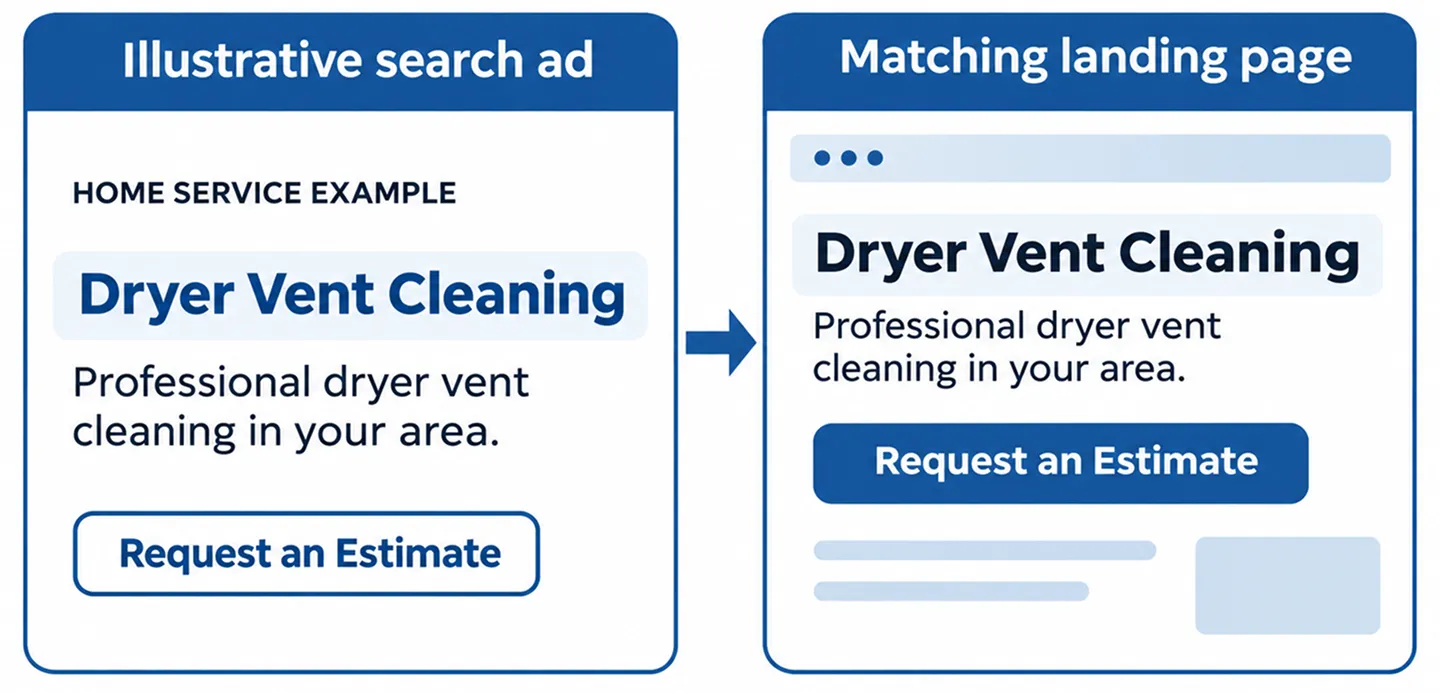
Imagine an ad promising dryer vent cleaning that sends visitors to a generic homepage listing six unrelated services. The customer must search again for the information they expected to see.
A focused landing page should confirm the advertised service, explain who it is for, show relevant trust information, and provide a clear next step. The page does not need to be long, but it should answer the visitor’s most immediate questions.
Review the ad and destination together. Use consistent service names, accurate locations, and a call to action that matches the customer’s intent.
4. Visitors Cannot Easily Call or Request an Estimate
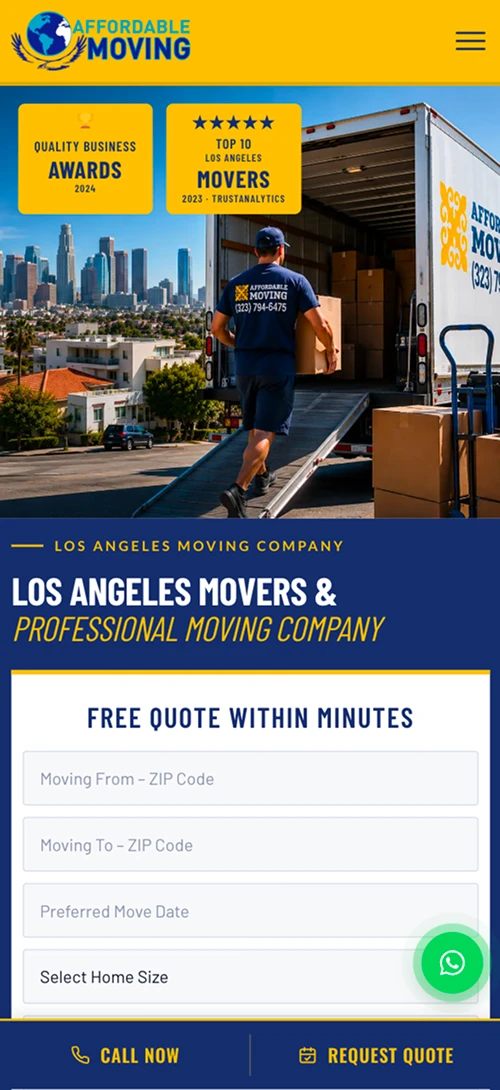
On a phone, the primary action should be obvious. A tiny contact link in the footer, a form with too many required fields, or a button that does nothing can cause visitors to leave.
Test the page on a real mobile device. Tap the call button, open the form, submit a marked test inquiry, and verify the result. Confirm that the correct team receives the message and that the visitor sees a useful success state.
Ask only for information needed to begin the conversation. Additional project details can often be collected after the first contact.
5. Your Forms Work Visually but Fail Behind the Scenes
A form may show a success message while notifications go to spam, fail authentication checks, or never reach the intended inbox. Third-party integrations can also fail silently.
Run an end-to-end test: submit a unique test inquiry, verify the submission record if available, check the receiving mailbox or CRM, and confirm any notification workflow. Test error states too, including missing required fields.
Do not treat a thank-you page as proof of email delivery. Both the customer-facing experience and the actual lead destination need verification.
6. Your Team Misses Calls or Responds Too Slowly
A campaign can produce genuine phone inquiries while the business records few booked jobs. Missed calls, unanswered messages, and delayed follow-up can make advertising appear less effective than it is.
Review call records where permitted and compare them with business intake logs. Determine whether calls reached staff, whether they were answered, and whether the request was within your service scope.
Set a clear follow-up process for missed calls and forms. An automated acknowledgment may help, but it should not pretend that a person has already reviewed the request.
7. Conversion Tracking Is Misconfigured
An account may show zero conversions even when inquiries arrive. It can also overstate results by counting page views, repeated thank-you visits, or button clicks as completed leads.
Define exactly what a qualified conversion means for the business: a successfully submitted form, an eligible phone call, a booked appointment, or another verified action. Then test that event in the actual customer journey.
Check whether Google Ads, Google Analytics, and tag management are sending duplicate events. Review consent behavior and cross-domain or redirect flows where relevant. A reliable measurement setup is essential before judging performance.
8. You Are Optimizing for Clicks Instead of Useful Outcomes
A campaign strategy focused on traffic can bring visitors without necessarily prioritizing lead quality. The right bidding approach depends on the account’s conversion setup, available data, and business goals.
Before changing strategies, confirm that conversion actions are meaningful and recorded consistently. Review which campaigns and search terms produce genuine inquiries rather than only low-cost clicks.
Do not assume that a lower cost per click is a win. A more expensive click that results in a relevant customer conversation may be more useful than several cheap but unrelated visits.
9. Your Offer or Trust Signals Are Unclear
People may click because the ad is relevant but hesitate when the page provides little information about the company. A vague service description, outdated photos, inconsistent phone number, or unsupported claims can reduce confidence.
Explain the service in plain language. Show authentic project photos and accurate service-area information. If you publish reviews or testimonials, use genuine customer-approved material and avoid invented ratings.
Tell visitors what happens after they request an estimate. Clear expectations often matter more than decorative design.
10. You Are Evaluating the Wrong Time Period
Small samples can be misleading. A few days of clicks may not reveal much about lead quality, especially in seasonal or low-volume service categories.
Review comparable periods and consider changes in demand, business hours, weather, staffing, and campaign settings. Look at the entire path from click to inquiry to completed work when those records are available.
Make changes in a controlled way and document what changed. If keywords, landing pages, bidding, and tracking all change at once, it becomes harder to understand which adjustment mattered.

A Practical Troubleshooting Order
Start with what can be verified quickly: confirm the website loads, test the phone number and form, and check that the inquiry reaches the intended person. Next, inspect search terms, service relevance, and location targeting.
Then validate conversion events and compare advertising records with actual calls and inquiries. Only after these basics are reliable should you decide whether to adjust bids, creative, or budgets.
Keep a short change log with the date, campaign, issue, action, and observed result. This prevents repeated guesses and makes future optimization more disciplined.
Frequently Asked Questions
Why am I paying for Google Ads clicks without getting calls?
Possible causes include irrelevant queries, broad location targeting, unclear landing pages, broken call links, missed calls, or tracking gaps. Check the full inquiry process before assuming the ads themselves are the only problem.
Can Google Ads show zero conversions even when leads arrive?
Yes. Missing tags, incorrect event definitions, consent behavior, and broken redirects can prevent conversions from being recorded. Verify actual submissions and calls against the tracking setup.
Should I increase my budget to get more leads?
Not until you know whether the current clicks are relevant and the lead process works. Increasing spend can amplify an existing problem.
How long should I wait before changing a campaign?
There is no universal waiting period. Use the volume and quality of available data, the severity of any issue, and the business’s operating needs. Fix broken forms or obviously irrelevant targeting immediately.
Turn More of the Right Clicks Into Real Conversations
Successful lead generation requires more than an ad that earns clicks. The search intent, geographic reach, landing page, contact experience, follow-up process, and measurement all need to work together.
Nabali Development helps US service businesses review Google Ads campaigns and the websites behind them. If your campaigns are generating clicks but few useful inquiries, request a preliminary review to identify the most important next step.
Get a Free Website Audit