
A website can generate valuable customer inquiries without making them easy to measure. A person may call after reading a service page, submit an estimate form, or return later to contact the business. If those actions are not tracked and verified, marketing reports may tell an incomplete story.
For local service businesses, tracking matters because a click is not the same as a conversation, and a conversation is not necessarily a qualified lead. A reliable measurement process helps you understand which channels bring relevant inquiries while also revealing operational problems such as missed calls or undelivered emails.
This guide explains a practical approach to tracking website calls and forms without treating every interaction as a sale or relying on unverified dashboard numbers.
1. Define What Counts as a Lead
Start with the business outcome you want to measure. A successful form submission is a useful conversion, but a visitor who merely clicks into a form has not submitted an inquiry. Similarly, tapping a phone number shows intent but does not prove that a call connected.
Define separate events for actions such as form submission, phone-link click, eligible completed call, booked appointment, and completed job. Do not merge them into one total without explaining the differences.
For a moving company, an inquiry about a move in the service area may be qualified. A job application or a request for truck rental may not be. Write down the criteria before evaluating performance.
2. Map Every Contact Path on the Website
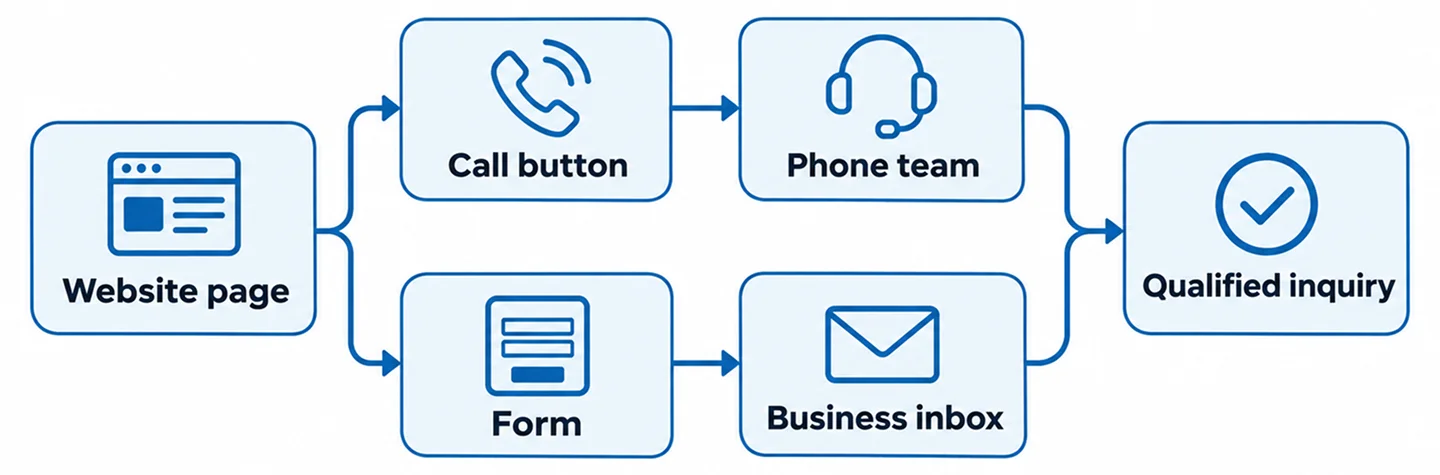
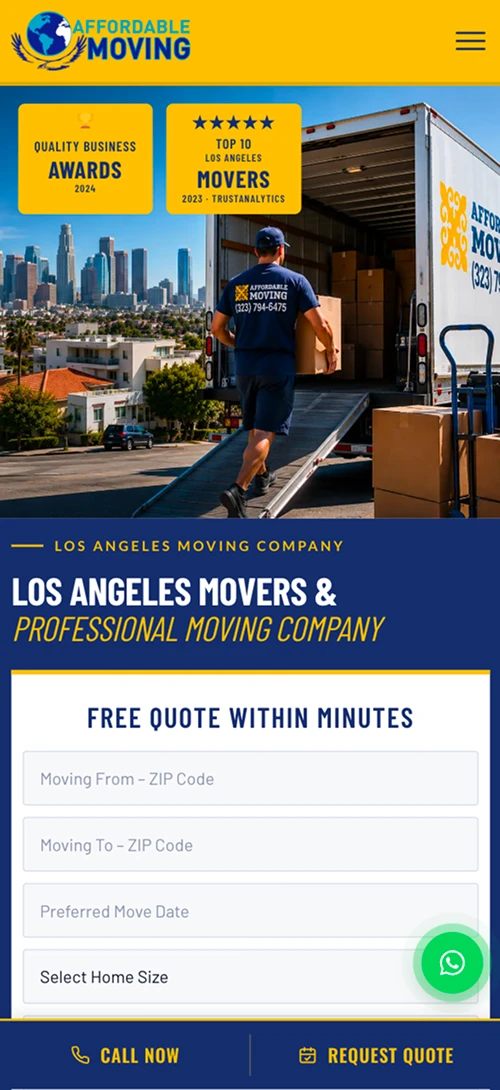
List every place visitors can contact the business: header phone numbers, mobile sticky call buttons, homepage forms, service-page forms, quote requests, contact pages, and campaign landing pages. Include third-party booking or chat tools if they are part of the actual journey.
For each path, record the destination, responsible team, success state, and intended analytics event. This inventory helps prevent a common problem: tracking the main contact form while ignoring forms on service pages.
Use a consistent naming convention for events and lead sources. Keep the naming simple enough that a developer and marketing manager can both understand it.
3. Track Form Submissions Only After Success
A form event should fire after the server or approved form service confirms that the submission succeeded. A click on the Submit button is not enough: the visitor may have left required fields empty, encountered a network error, or triggered spam protection.
For WordPress websites using Contact Form 7 or another form tool, identify the actual success signal supported by that implementation. Confirm that the event fires once and carries only appropriate non-sensitive metadata, such as form type or page category.
Do not send names, email addresses, phone numbers, message bodies, or other personal information to analytics as event parameters. Confirm privacy and consent requirements for your business and visitors.
4. Verify That the Business Actually Receives the Inquiry
Analytics can report a successful form event even when an email notification fails. Test the entire chain: submit a clearly labeled test inquiry, verify the website success state, check the mailbox or CRM destination, and confirm that staff can access the lead.
If the website uses email notifications, review authentication and deliverability settings with the hosting or email administrator. If submissions are stored in a database or CRM, verify that the record is created once and assigned correctly.
Keep a short test log with the date, page URL, form name, unique test identifier, delivery result, and analytics result. This is much more useful than a screenshot of a thank-you message alone.
5. Understand the Difference Between Phone Clicks and Calls
A tel: link can be tracked as a phone-click event, but it cannot by itself prove that a call connected, was answered, or involved a potential customer. Visitors can tap and cancel, or copy the number to call later.
For stronger call attribution, businesses may use a suitable call-tracking provider or platform-supported call reporting. Capabilities vary by country, account, call route, and provider. Review privacy, recording consent, number ownership, and forwarding behavior before implementation.
When possible, compare attributed calls with the business phone system and intake records. A missed call is a real operational signal even if it does not become a booked job.
6. Configure GA4 Events With Clear Meanings
Google Analytics 4 can record events that describe user interactions. Choose meaningful names and document when each event fires. For example, a lead-generation event should represent a successful inquiry, not simply opening the contact page.
If Google Tag Manager is used, verify that the same event is not also sent by a WordPress plugin or a second integration. Duplicate installations can inflate counts and make reporting unreliable.
Use a clean browser session to test the flow, taking consent settings into account. Confirm what is received in the relevant debugging or reporting interface rather than assuming that the presence of a script means tracking works.
7. Connect Google Ads Conversions Carefully
Google Ads optimization depends on meaningful conversion data. Decide which actions should be used for campaign evaluation and bidding, and distinguish primary lead conversions from secondary diagnostic interactions.
If importing GA4 conversions into Google Ads, check whether a direct Google Ads tag already measures the same action. Avoid counting one submission twice through parallel configurations.
Campaign attribution also depends on preserving relevant click and campaign information across landing pages, forms, redirects, and approved lead systems. Test the actual route rather than assuming UTM parameters always survive.
8. Prevent Duplicate Leads and False Successes
Common duplicate scenarios include refreshing a thank-you page, firing a submit-click event alongside a successful-submit event, sending the same conversion through two tags, or allowing a form to submit twice after repeated clicks.
A robust setup uses a success signal and, where technically appropriate, a unique non-personal submission identifier to support deduplication. Do not invent identifiers in reports or expose customer details.
Test failure cases as well: invalid fields, disconnected networks, blocked spam submissions, and a server error must not register as completed leads.
9. Connect Marketing Reports to Lead Quality
A campaign with more form submissions is not automatically the best campaign. Ask whether inquiries match the service area, requested services, and business capacity. Review booked consultations or jobs when trustworthy operational records are available.
Create a simple shared vocabulary: inquiry received, qualified, contacted, appointment booked, job won, and not relevant. A CRM or spreadsheet can help track the progression, provided personal data is handled appropriately.
Compare equivalent time periods and note major changes such as seasonal demand, business hours, or staffing. Avoid claiming that a marketing change caused a result without sufficient evidence.

10. A Practical Lead-Tracking Test Checklist
First, inventory every form and call button. Next, submit one marked test lead per distinct form flow and verify delivery to the correct recipient. Check phone links on mobile and, where authorized, confirm that call reporting matches the actual call route.
Then test the analytics event in a clean session, confirm that it fires once, and check that failed submissions do not count. Repeat the process for important advertising landing pages and after major website updates.
Document what was tested, what could not be verified, and who owns the remaining action. Reliable tracking is an ongoing process, not a one-time checkbox.
Frequently Asked Questions
Can GA4 tell me whether a phone call was answered?
Not from a basic phone-link click alone. Answered-call details require appropriate call-reporting or phone-system data and an integration that supports the needed measurement.
Should I track every button click as a lead?
No. Button clicks can be useful engagement signals, but a lead event should reflect a confirmed inquiry or another clearly defined business action.
Why do form leads appear in analytics but not in my email?
The analytics event and email delivery may be separate systems. Test server-side submission, notification configuration, spam filtering, and the receiving mailbox or CRM.
Can Google Ads and GA4 both track the same form?
They can, but conversion setup needs careful coordination so the same action is not unintentionally counted twice for optimization and reporting.
Make Every Inquiry Measurable and Actionable
Good tracking helps a business answer three questions: Did the customer reach us? Where did the inquiry come from? Was it relevant to the services we offer? Start by making forms and calls reliable, then build measurement around verified outcomes.
Nabali Development helps US service businesses improve websites, lead-generation workflows, and digital marketing measurement. If you are unsure whether your website is capturing and tracking inquiries correctly, request a preliminary website review.
Get a Free Website Audit