
A customer searches for a service you offer, adds the name of your city, and sees other companies on Google Maps—but not yours. That can be frustrating, especially if your business has a website and an established customer base.
There is no single reason a business may be missing from Maps results. Your profile might not be eligible or verified, your information might be incomplete, or your business might simply not appear for that particular search and location. These situations require different solutions.
Use the steps below to distinguish a missing listing from a visibility problem and decide what to investigate first.
1. First, Check Whether Your Business Is Actually Missing
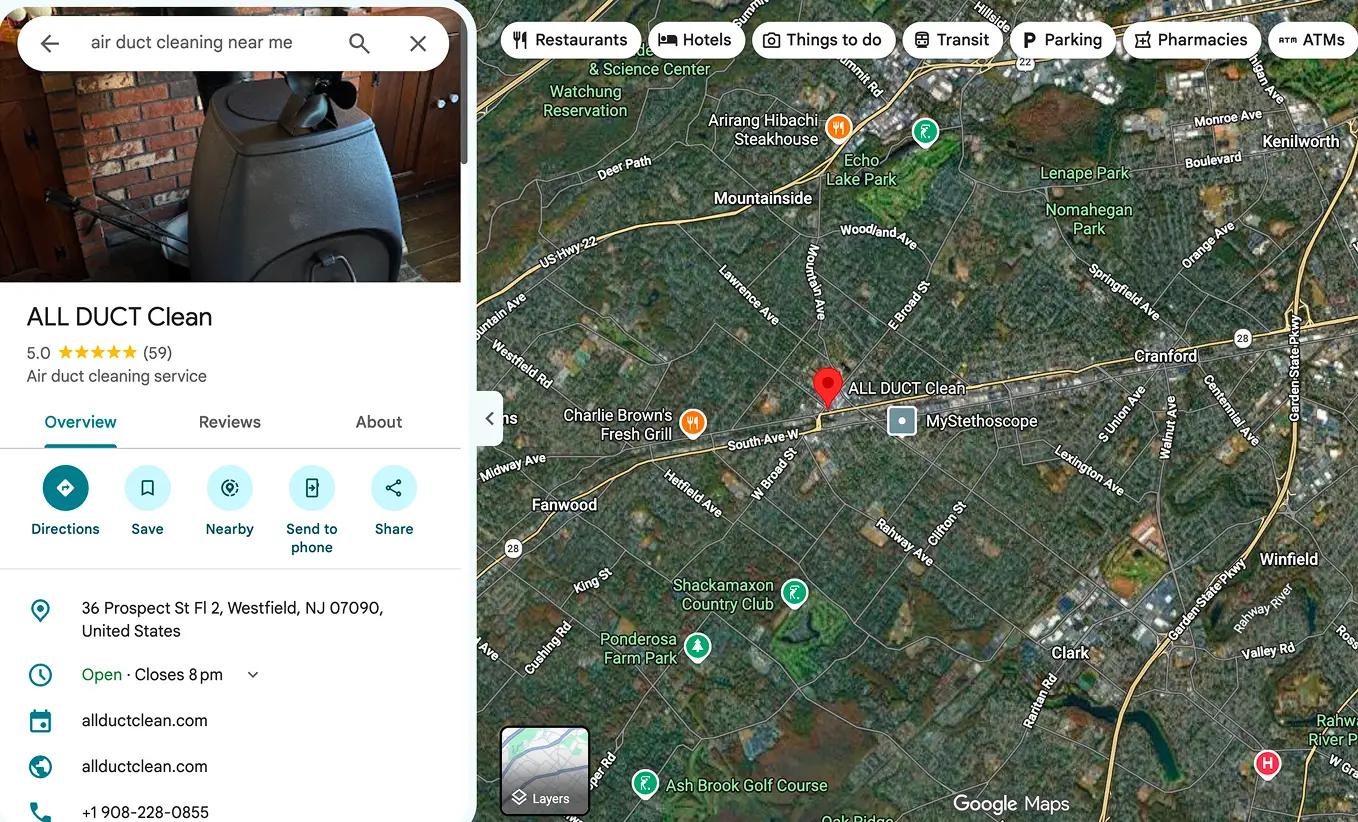
Search Google Maps for your exact business name and city, then search for your business name together with its street address or phone number. Try from a signed-out browser session and note your location. A profile that appears for a branded search but not for “service near me” is not necessarily missing; it may have limited visibility for that query.
Search results vary by location, wording, and other factors. Do not judge your visibility using only one device or one search. Record the searches you tried so you can compare them later.
2. Confirm Your Business Is Eligible for a Profile
Google Business Profile is intended for eligible businesses that have in-person contact with customers during their stated hours. Certain online-only businesses and locations that do not meet Google’s requirements are not eligible.
A service-area business, such as a cleaning or moving company, may qualify even if it visits customers rather than receiving them at a storefront. Its profile settings should accurately reflect how the business operates. Do not use a virtual office, rented mailbox, or borrowed address to create a misleading location.
3. Review Verification and Profile Status
A profile may need verification before the owner can manage it fully or before information appears as expected. Sign in to the Google account that manages the business and review any verification prompts, restrictions, or status notices.
If Google requests additional information, follow the instructions in the official Business Profile interface. Do not repeatedly create new profiles as a workaround. If a profile is suspended or disabled, investigate the stated reason and use the appropriate review or appeal process.
4. Make Sure You Are Not Managing a Duplicate
Duplicate or outdated listings can confuse both owners and customers. Search for alternate versions of your company name, old addresses, and previous phone numbers. Check whether a former employee or agency created a listing years ago.
If you find a duplicate, determine which profile represents the legitimate business and use Google’s supported ownership or duplicate-resolution process. Do not delete or merge profiles casually; a mistake can affect customer-facing information and reviews.
5. Check Your Primary Category and Services
The primary business category should describe your main real-world activity. A company offering dryer vent cleaning should not select an unrelated category solely because it seems more popular in search.
Add appropriate secondary categories only for services you genuinely provide. Where the profile supports it, list specific services with clear descriptions. Make sure those services are also explained on relevant pages of your website.
Categories are an important relevance signal, but changing one is not a guaranteed way to appear in the top results.
6. Check Address, Service Area, Hours, and Contact Details
Confirm that your business name, phone number, website, and hours are accurate. If you serve customers at their locations, use the address and service-area settings appropriate to your business model. Do not display a private residential address if the profile rules require it to be hidden.
Your stated service area should describe where you actually work. Listing a long collection of cities does not create a physical location in each city or guarantee that your profile will appear there.
Check that your website contact page reflects the same real business identity and gives customers a working way to reach you.
7. Understand Why You May Not Rank for “Near Me”
Google describes local ranking in terms of relevance, distance, and prominence. A business can be eligible, verified, and accurately configured yet appear below competitors for a particular search.
Distance matters: someone searching across town may see different businesses from someone standing near your service area. Relevance depends partly on how well your business information matches the query. Prominence can reflect information Google knows about the business from different sources.
There is no legitimate shortcut that guarantees placement in the Google Maps three-pack. Be cautious of anyone promising a fixed position.
8. Improve the Website That Supports Your Profile
A Business Profile is not a substitute for a useful website. Visitors who click through should immediately understand your services, location or service area, and how to contact you.
Create distinct, helpful pages for major services. Explain genuine service areas with useful local context where appropriate. Keep your site mobile-friendly, ensure contact forms work, and use descriptive page titles and headings.
Avoid doorway pages that repeat nearly identical copy for dozens of cities. Also check for technical problems such as accidental noindex tags, broken redirects, and pages that cannot be loaded.
9. Use Real Photos and an Ethical Review Process
Upload authentic images of your team, work, vehicles, storefront, or equipment when relevant. Photos should represent the actual business rather than stock images passed off as completed jobs.
Invite customers to share honest reviews without rewards, pressure, or filtering out dissatisfied customers. Do not buy reviews or ask only happy customers to post. Respond professionally and avoid exposing private details.
These practices help customers evaluate your business. They do not guarantee a specific ranking.
10. Measure What Happens After People Find You
Review available Google Business Profile performance data and your website analytics. Look at relevant actions such as website visits and calls, but remember that reporting definitions and availability can change.
Compare meaningful periods rather than reacting to one day. Confirm that website forms deliver messages and that phone calls are answered. A business may have a visibility problem, a contact-conversion problem, or both.

A Practical Troubleshooting Checklist
Start with an exact-name Maps search. Confirm eligibility and the profile’s verification status. Look for duplicates. Review the primary category, services, address or service area, phone, hours, and website link. Test your website and contact forms. Finally, compare local visibility from relevant search locations and review available performance data.
Document each change and allow time to evaluate it. If the profile is restricted, resolve that status first instead of making repeated speculative edits.
Frequently Asked Questions
Why does my business appear by name but not for my service?
A branded search and a category search are different. Your profile may exist and be visible by name while other businesses are more relevant or closer for a particular service query.
Can I add more cities to my service area to rank there?
You can describe genuine service coverage where the interface allows, but adding cities does not guarantee visibility or create additional physical locations.
Should I create a new profile if mine is suspended?
Usually the appropriate first step is to review the reason for the restriction and follow Google’s supported appeal or resolution process. Creating duplicates can make matters worse.
How long does it take to appear on Google Maps?
There is no universal timeline. Verification, review of edits, eligibility, and search visibility vary. Avoid anyone offering a guaranteed deadline or ranking.
Get a Clearer Picture of Your Local Visibility
If your business is difficult to find on Google Maps, begin by identifying the actual problem: missing or restricted profile, inaccurate information, weak relevance, or limited visibility for a particular location.
Nabali Development helps US local service businesses review their Google Business Profile information, website structure, and local SEO foundations. Request a preliminary review to discuss the next practical step.
Get a Free Website Audit